Buy $BISCOTTI
The easiest way is a free phone app called FOMO. Download it, add money with a debit card, and buy. It takes about five minutes.
Know your way around crypto? $BISCOTTI lives on Robinhood Chain, so you can buy it anywhere that trades there. Here’s the contract address. Everyone else, the steps below are the simple way.
0x7CD7073A71eaF5F6E4febFA98460Ee66cd97dEb1Download FOMO.
It’s free on iPhone and Android. Tap the button for your phone.
On a computer? Point your phone’s camera at this code to get the app.
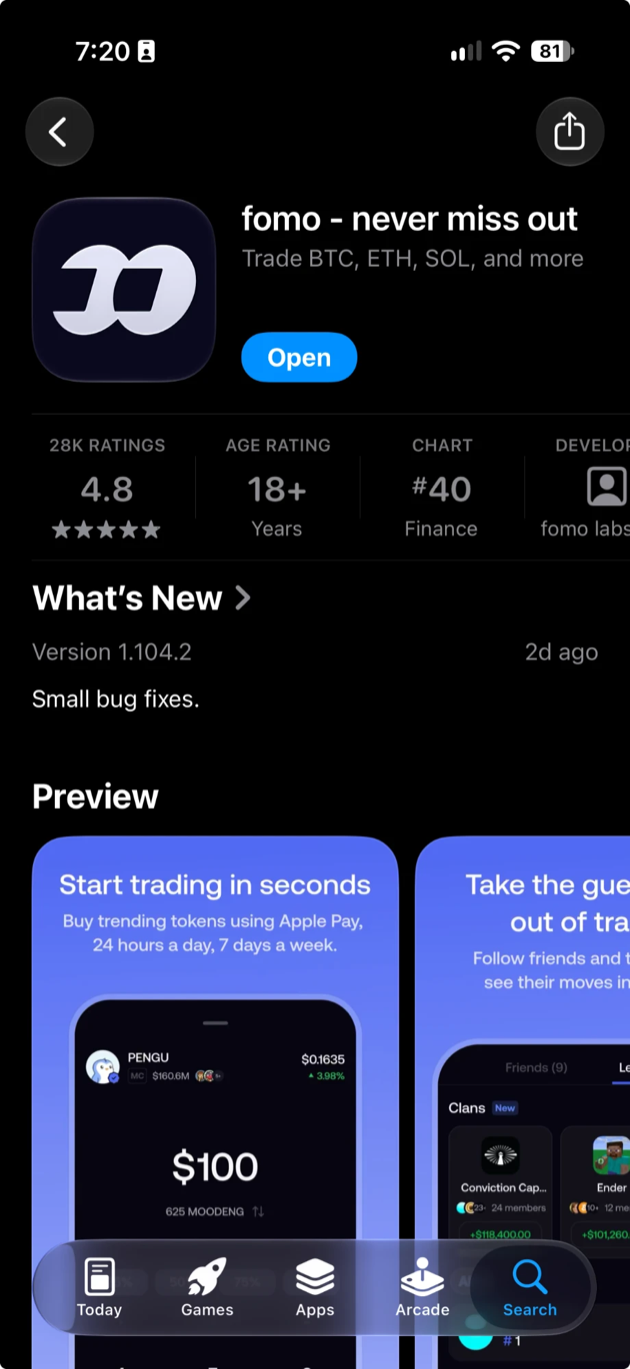
Make your account.
Open FOMO and sign up. The app sets up a crypto wallet for you behind the scenes, so there’s nothing technical to do.
When it asks for a referral code, enter Biscotti’s. You get 10% off fees.
playbiscottiAdd some money.
On FOMO’s home screen, tap the blue Deposit button, then pick Debit to add cash with your debit card. Start small. Ten dollars is plenty to say hello.
Skip Apple Pay here. In FOMO it only buys a short list of big tokens, and $BISCOTTI isn’t one of them.
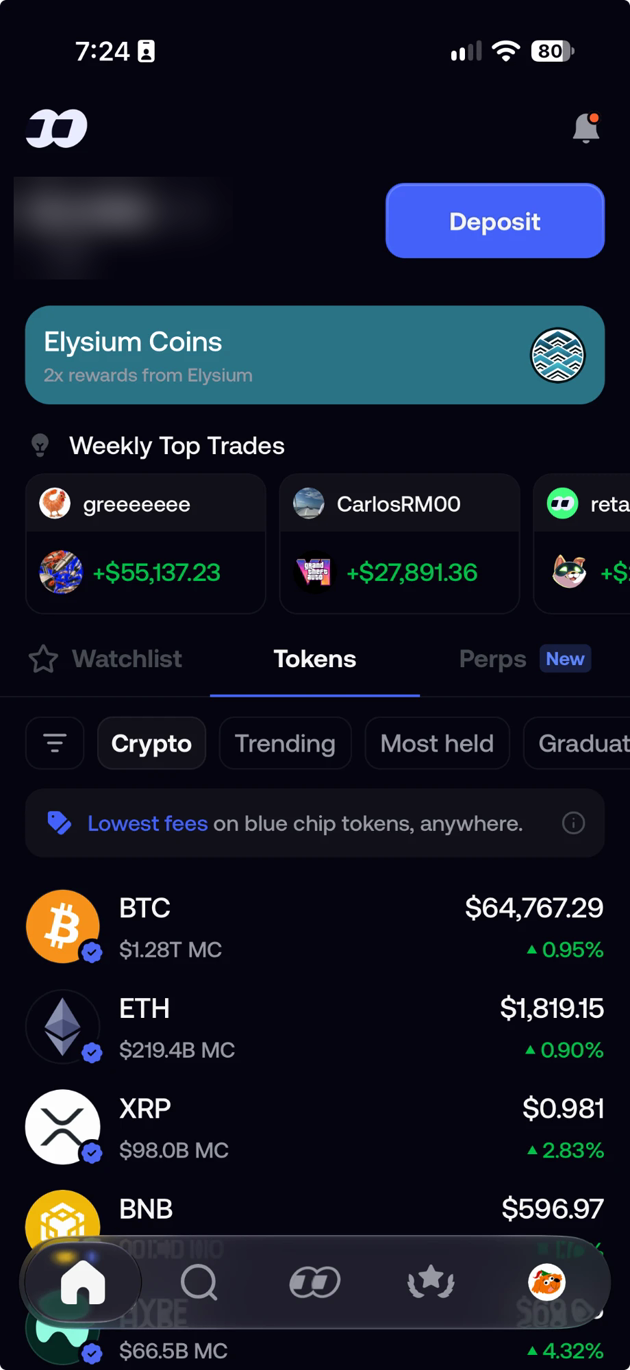
Find $BISCOTTI.
Tap search in FOMO and paste this address. Think of it as the token’s home address. You’ll know you’re in the right place when you see Biscotti’s face.
0x7CD7073A71eaF5F6E4febFA98460Ee66cd97dEb1Lots of tokens borrow the same name. The address is the only way to be sure you’ve got the real one. It lives on Robinhood Chain.
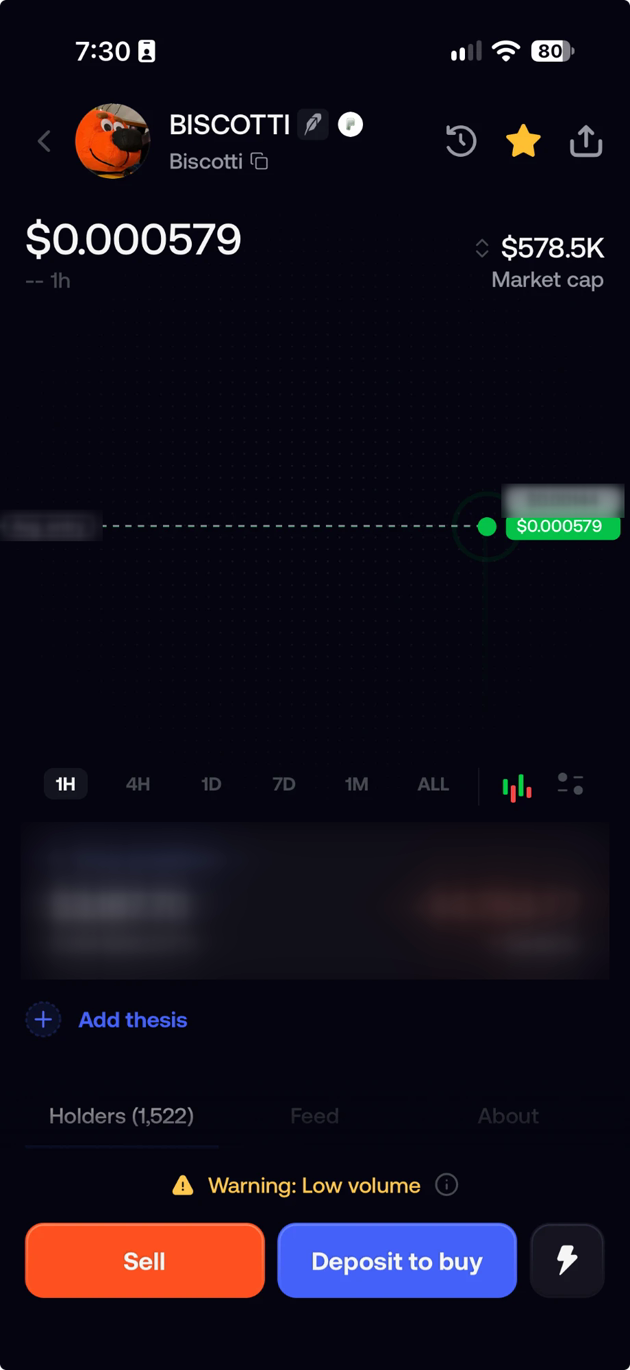
Buy.
Tap the blue Buy button. It says Deposit to buy if you haven’t added money yet. Type how much you want to spend, check it, and confirm. FOMO shows any fees before you confirm. That’s it: you’re helping keep Biscotti on the road.
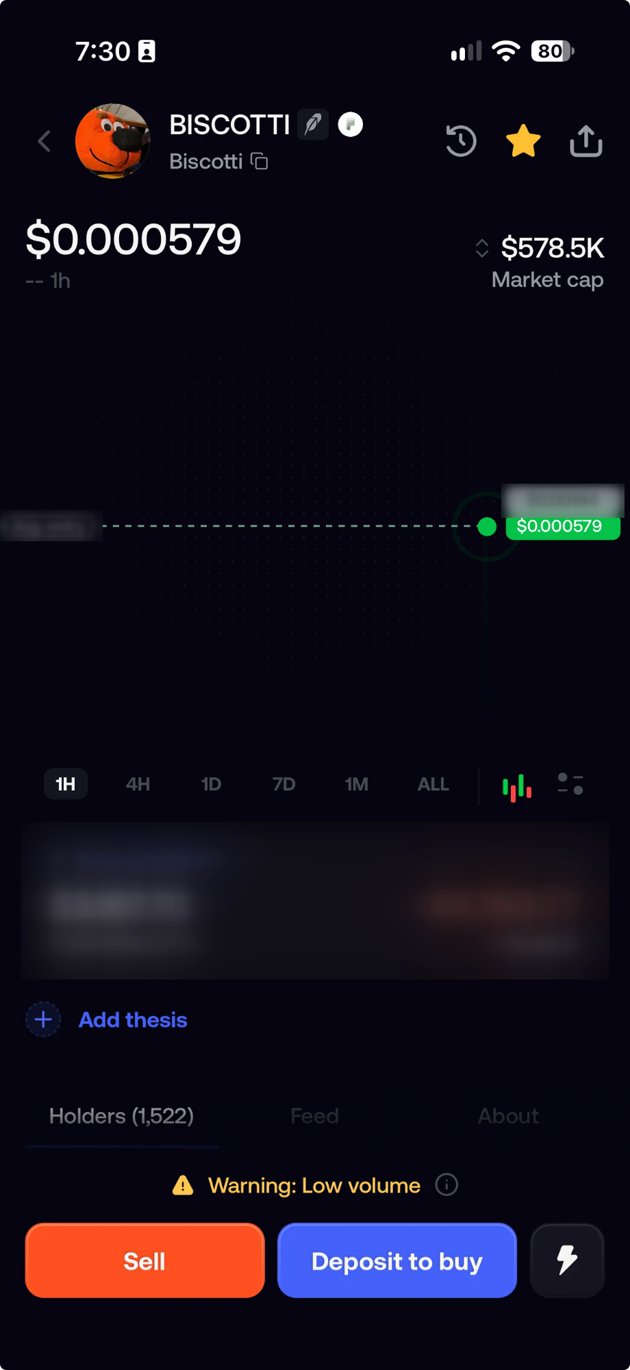
Good to know
Is FOMO made by Biscotti?
No. FOMO is a separate app made by fomo labs, inc. We point people to it because it’s the simplest way in. When you download it, check that name under the app’s title so you get the real one.
Can I sell later?
Yes. Open $BISCOTTI in FOMO and tap sell, any time.
How much should I spend?
Only what you’d happily spend on a treat. The price goes up and down, sometimes a lot.